

Deposit / Withdrawing Gold (Pro)
This page is for Pro mode, where you fund your in-game Gold using real money.
Gold in Pro In Pro, Gold represents your funded balance (1:1 with USDC). You use Gold for in-game actions like buying shares and managing your squad.
Where to start
Firstly, make sure you are logged in on the correct app - https://pro.sport.fun/football
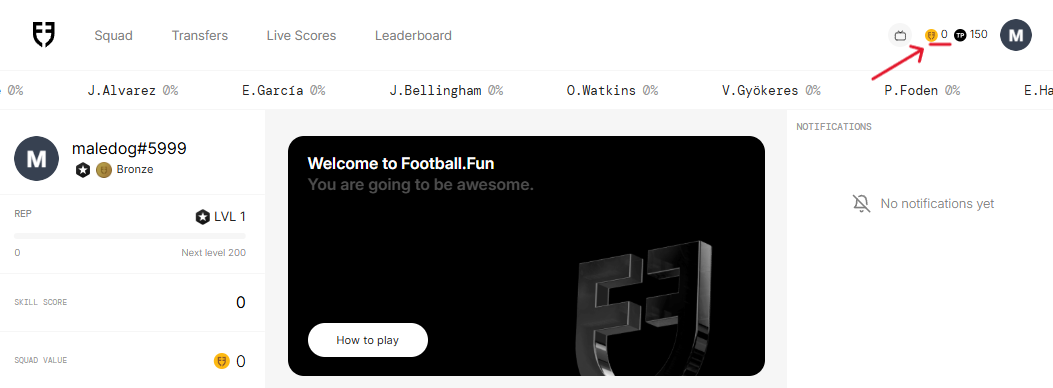
Click on the gold icon in the top right of the screen next to your profile.
You will get a pop-out that gives you multiple next-step options relating to funds on your account
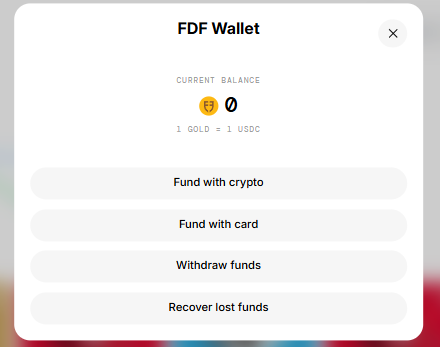
Fund With Card (Fiat)
Fiat funding is powered by MoonPay. Availability may vary by region, and this feature might not be supported in your country. You can check the full list of unsupported locations here: https://support.moonpay.com/en/articles/380968-moonpay-s-unsupported-countries
Sending - Fiat to your in-game wallet
Click the 'Fund with card' option in the Wallet Modal
Input an amount to purchase and continue to the MoonPay login
Once on the MoonPay app it will walkthrough you all the necessary steps to complete your payment
Note: Paying with card can take up to a few days to arrive, depending on the payment method. Debit Cards typically have a higher approval rate.
Once complete, Gold will be credited to your account, and you can view it in your Transaction History.
Fund With Crypto
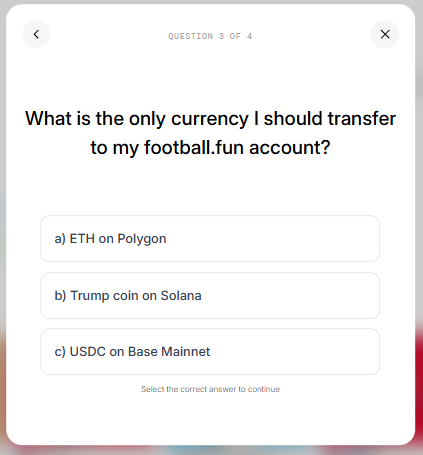
1 Gold in-game is equal to 1 USDC
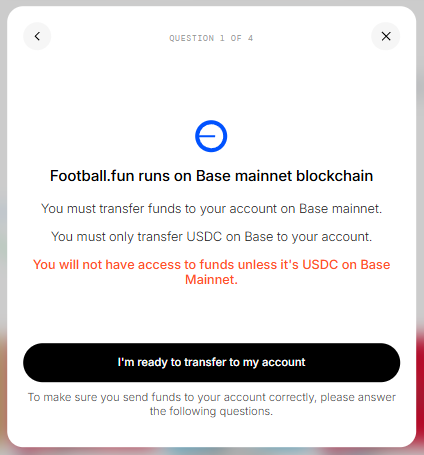
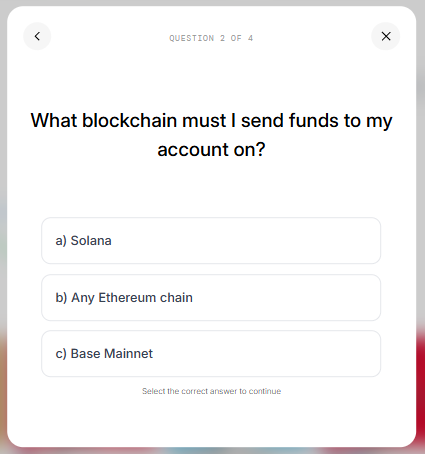
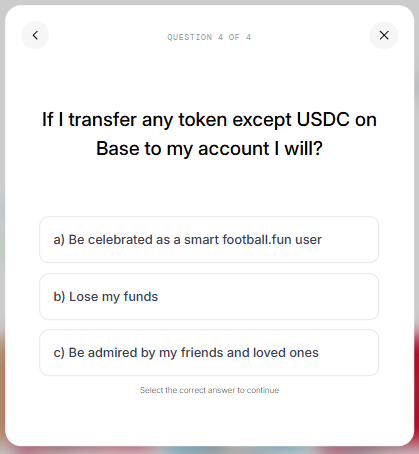
USDC must be sent on the BASE blockchain
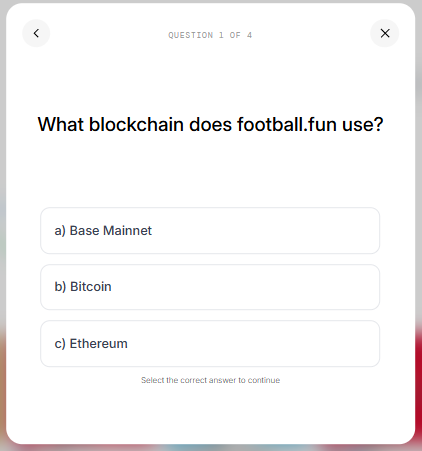
You will be asked 4 questions to understand the deposit process and ensure you understand that the platform runs on USDC on Base.
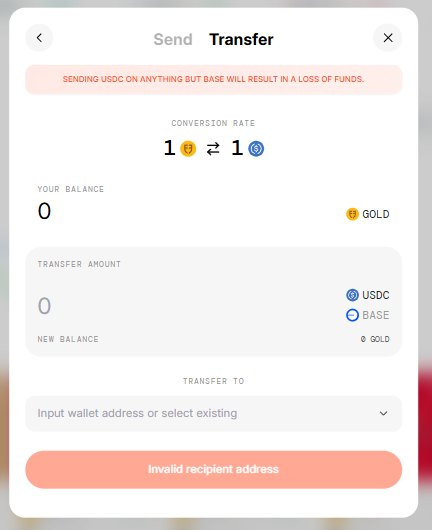
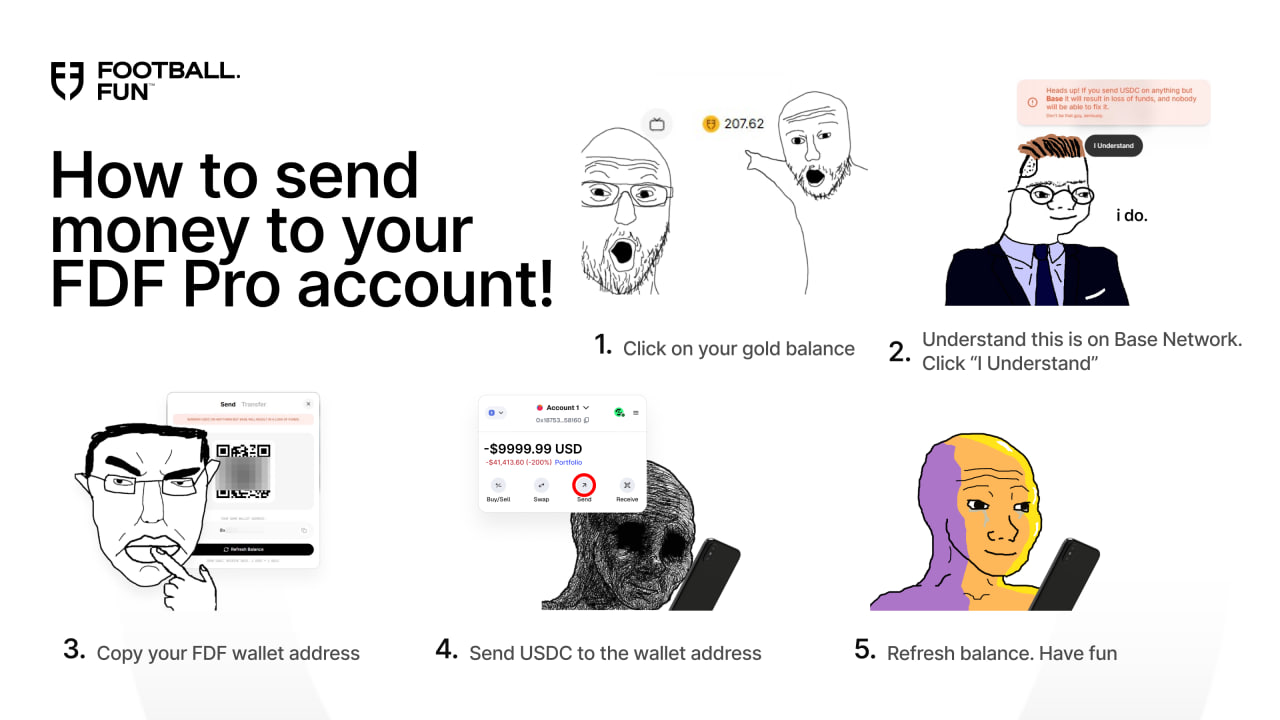
Sending Money In
Sending - Crypto to your in-game wallet
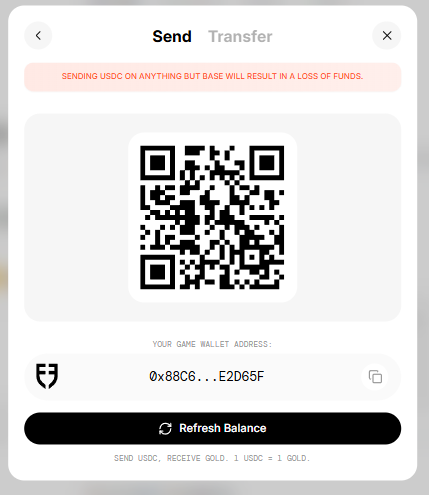
Click on the 'Send' tab
Copy your game wallet address
Go to your external EVM wallet that you are using to fund your game wallet
Must be USDC on Base Network
Paste your game wallet address as the recipient to receive the USDC
Send your desired amount
Once the transaction is complete, press the refresh balance button in-game
Have fun
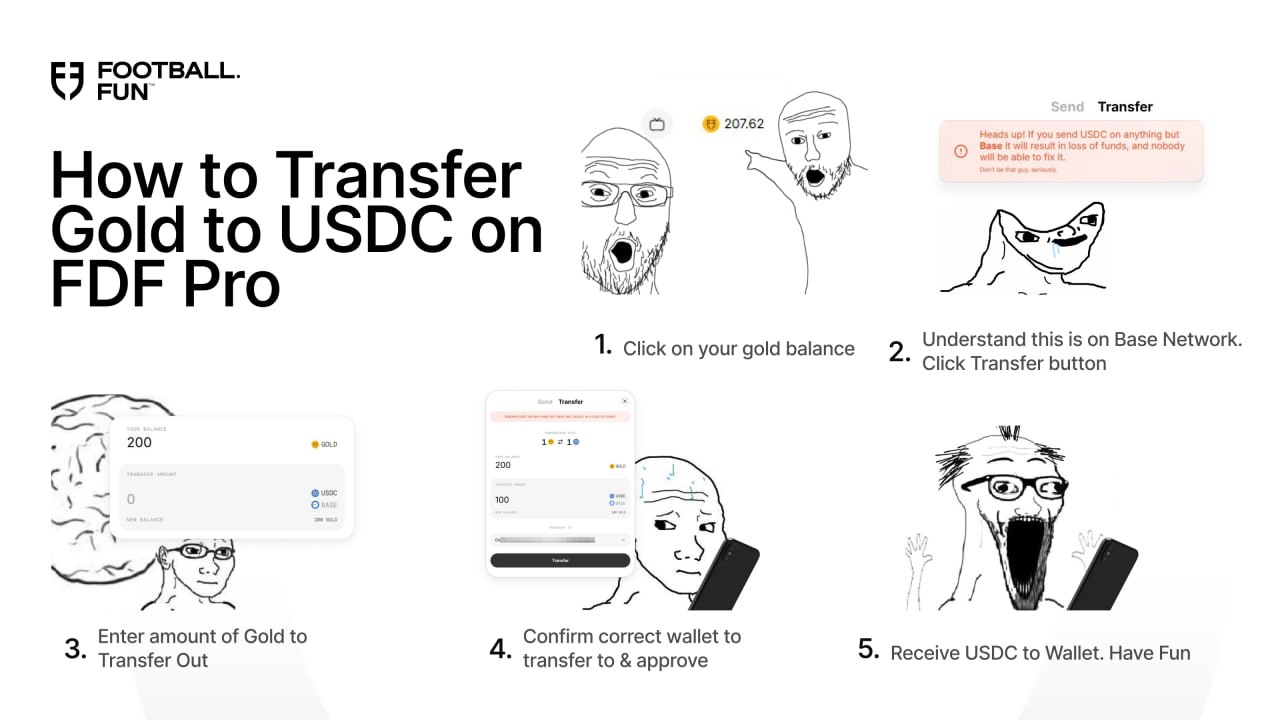
Transferring Money Out
Withdrawing - Gold out of your in-game wallet
Click the 'Transfer' tab
Enter the Gold amount you are trying to transfer out
Input which wallet address you are trying to transfer it out to
Approve it once you are 100% sure it is the correct address
Have fun
Recover Lost Funds
This modal is for users that made mistakes by sending funds on the wrong blockchain or sending a wrong token.
We can only help recover wrong funds from certain blockchains. This currently only includes:
Base - Ethereum - Arbitrum One - OP Mainnet - Polygon - BNB Smart Chain - Avalanche
Native Tokens
This relates to the native main chain tokens. E.g. Avalanche = AVAX token, Polygon = POL Token, Ethereum = ETH token
Select the chain that your funds are stuck on
The modal will tell you what balance is stuck if there is anything available
Input the wallet you want to transfer it out to
Transfer the tokens
Other Tokens
If it's an alternative token such as USDC or others, you will need to find the 'contract address' for the token. E.g. on Ethereum USDC is 0xA0b86991c6218b36c1d19D4a2e9Eb0cE3606eB48
Select the chain that your funds are stuck on
Input the token Contract Address into the second field
If it is found, the modal will show you how much of the token is available in the wallet
Input the wallet address you want to transfer it out to
Transfer the tokens